Mobile App Backend Monitoring: Keeping Your APIs Reliable for Mobile Users
Mobile app backends face unique challenges including intermittent connectivity, version fragmentation, and strict latency requirements. Learn how to monitor effectively.
UptimeMonitorX Team
Published March 8, 2026
Mobile App Backend Monitoring
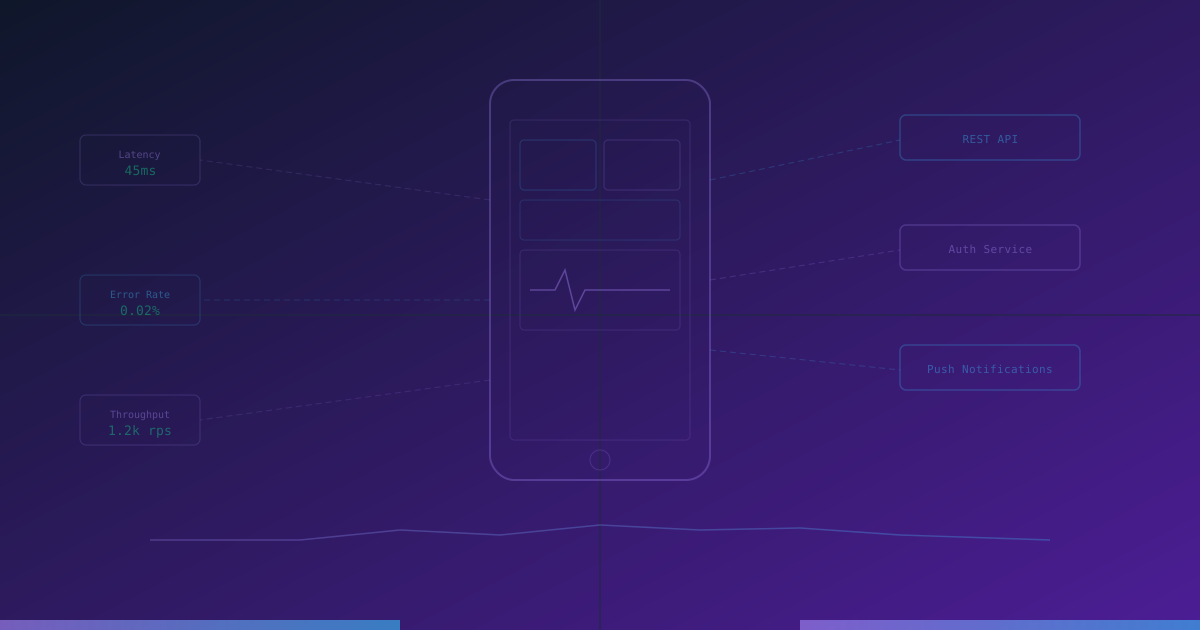
Mobile applications depend entirely on their backend APIs for data, authentication, and functionality. When the backend goes down, the app becomes a static shell. And unlike websites where you can deploy a fix instantly, mobile users are running various versions of your app with different API requirements on various devices and networks. Monitoring mobile app backends requires understanding these unique challenges.
Why Mobile Backend Monitoring Is Different
Users Cannot Clear Cache or Hard Refresh
When a website has issues, tech-savvy users can clear their browser cache or try a different browser. Mobile users have no such escape hatch. If the backend returns bad data, it is cached in the app and might remain broken until the user manually kills and restarts the app - or until the cache expires.
Version Fragmentation
At any given time, your mobile users are running multiple versions of your app. Each version might use different API endpoints, different request formats, or different authentication flows. You need to monitor all actively used API versions simultaneously.
Network Variability
Mobile users connect through WiFi, 4G, 5G, and sometimes 3G or 2G networks. They move between networks, go through tunnels, and experience intermittent connectivity. Your backend must handle these conditions gracefully, and your monitoring must account for them.
Strict Latency Requirements
Mobile users are less patient than desktop users. Studies show that mobile users expect responses within 3 seconds and abandon apps after 6 seconds. Backend API latency must be minimal because there is additional latency from the mobile network on top.
App Store Update Delays
Unlike web applications where you can deploy a fix in minutes, mobile app updates must go through app store review (1-7 days for iOS, hours to days for Android). If a backend change breaks an older app version, users are stuck with the broken version until they update.
Essential Backend Monitoring for Mobile Apps
API Endpoint Monitoring
Monitor every API endpoint that your mobile app relies on:
- Authentication endpoints: Login, registration, token refresh, social login. If auth is down, the entire app is unusable.
- Core data endpoints: The main content APIs - feeds, lists, details, search. These are used on every screen.
- Notification endpoints: Push notification registration and delivery. Users expect timely notifications.
- Media upload/download: Image and video APIs. Monitor both upload success rate and download latency.
- Payment endpoints: In-app purchase verification and subscription management.
API Version Monitoring
Monitor each active API version independently:
- Track which API versions are still in use and their traffic volumes.
- Monitor deprecated endpoints that older app versions still call.
- Verify that API version negotiation (via headers or URL paths) works correctly.
- Alert when an API version falls below acceptable performance thresholds.
Response Format Validation
Mobile apps parse API responses according to a specific schema. Monitor that responses match the expected format:
- Required fields are present.
- Data types are correct (a string where the app expects a string, not a number).
- Nested objects match the expected structure.
- Pagination metadata is included and correct.
- Error responses follow the documented format.
A single missing field can crash the app for all users on the affected endpoint.
Push Notification Delivery
Monitor the push notification pipeline:
- Provider connectivity: Verify connections to APNs (Apple) and FCM (Google) are healthy.
- Delivery rate: Track what percentage of sent notifications are delivered.
- Delivery latency: How long does it take from sending to delivery?
- Token validity: Monitor for increases in invalid token errors, which indicate token management issues.
Ensure Your APIs Are Always Available
Monitor REST API endpoints with custom headers, request bodies, and response validation. Get alerted instantly when an API fails.
Performance Monitoring
Response Time by Region
Mobile users are distributed globally. Monitor API response times from multiple regions:
- Identify regions where response times exceed acceptable thresholds.
- Compare regional performance to determine if CDN or edge caching is needed.
- Detect regional outages that dashboard monitoring might miss.
Payload Size Monitoring
Mobile users on cellular networks pay for data. Monitor:
- Response payload sizes - are they growing over time?
- Image and media optimization - are you serving appropriately sized assets?
- Compression effectiveness - are responses being gzip/brotli compressed?
Large payloads also increase parsing time on lower-powered mobile devices.
Third-Party Dependency Monitoring
Mobile backends often depend on third-party services:
- Social login providers (Google, Apple, Facebook).
- Payment processors (Stripe, Apple Pay, Google Pay).
- Analytics and crash reporting services.
- Cloud storage providers.
- Map and location services.
Monitor the health of each dependency because a third-party outage directly impacts your app's functionality.
Error Handling Monitoring
Mobile backends must be especially careful about error handling because app crashes are highly visible and damaging to ratings:
Error Response Format
Monitor that all error responses follow your documented error format:
- Error code.
- Human-readable message.
- Details for debugging (development only).
- Suggested action (retry, update app, contact support).
Error Rate by Endpoint
Track error rates per endpoint and alert on spikes:
- A sudden spike might indicate a deployment issue.
- A gradual increase might indicate growing data issues.
- Errors on specific endpoints affecting specific app screens help prioritize fixes.
Graceful Degradation
Monitor that your backend supports graceful degradation:
- Can the app function (even with limited features) when specific endpoints are down?
- Do maintenance mode responses clearly communicate the situation to the app?
- Are retry-after headers included when rate limiting is active?
Monitoring Strategy for App Releases
App releases are high-risk periods for mobile backends:
Pre-Release
Before submitting a new app version:
- Verify all API endpoints the new version uses are deployed and working.
- Test backward compatibility with the previous app version.
- Set up monitoring for any new endpoints.
During Rollout
As the new version reaches users:
- Monitor for increases in error rates that correlate with the new version.
- Track new endpoint usage to verify the rollout is progressing.
- Monitor device and OS-specific error patterns.
Post-Release
After the majority of users have updated:
- Identify legacy endpoints that can be deprecated.
- Review performance metrics for the new version versus the old.
- Update monitoring to focus on current endpoints.
Conclusion
Mobile app backend monitoring must account for the challenges that make mobile different: version fragmentation, network variability, strict latency requirements, and the inability to quickly push fixes. By monitoring every API version, validating response formats, tracking regional performance, and maintaining vigilance during app releases, you can ensure your mobile users have a reliable, fast experience regardless of their device, location, or network conditions.
Monitor your website uptime
Start monitoring in 30 seconds. Get instant alerts when your website goes down. No credit card required.