Cloud Infrastructure Monitoring: Best Practices for AWS, Azure, and GCP
Cloud services fail differently than traditional infrastructure. Learn monitoring strategies for AWS, Azure, and GCP including managed service monitoring and multi-cloud approaches.
UptimeMonitorX Team
Published March 7, 2026
Cloud Infrastructure Monitoring: AWS, Azure, and GCP
Cloud platforms have transformed infrastructure management. Instead of racking servers and managing hardware, engineering teams provision resources through APIs and web consoles. But this convenience creates a dangerous misconception: that the cloud provider handles reliability. In reality, cloud services fail regularly, and monitoring cloud infrastructure requires understanding the shared responsibility model and the unique failure modes of cloud-native services.
The Shared Responsibility Model
Every major cloud provider operates under a shared responsibility model:
- The provider is responsible for the reliability of the underlying infrastructure - physical servers, networking, storage, and the hypervisor layer.
- You are responsible for everything you build on top - your applications, data, configurations, access controls, and the correct use of cloud services.
When an AWS region goes down, that is AWS's responsibility. When your application fails because you deployed it in a single availability zone with no redundancy, that is your responsibility. Monitoring helps you fulfill your side of this model.
Common Cloud Failure Modes
Service Degradation
Cloud services do not just go fully up or fully down. They frequently experience partial degradation:
- API response times increase by 300%.
- 5% of requests fail while 95% succeed.
- The service works in us-east-1 but is degraded in eu-west-1.
- The management console is unavailable but the service itself works.
These partial failures are difficult to detect with simple up/down monitoring.
Regional Outages
Major cloud outages typically affect specific regions or availability zones:
- Applications deployed in a single region experience full outage.
- Applications deployed across regions might have partial functionality.
- Cloud provider status pages often underreport the severity and scope.
Configuration Drift
Cloud infrastructure managed through consoles is susceptible to configuration drift:
- Security groups modified manually, opening unintended ports.
- IAM policies gradually becoming overly permissive.
- Auto-scaling configurations that do not match current requirements.
- Cost-saving changes that inadvertently reduce redundancy.
Resource Limits
Cloud resources have limits (quotas) that can be hit unexpectedly:
- EC2 instance limits preventing auto-scaling.
- API request rate limits throttling your application.
- Storage limits preventing data writes.
- Network bandwidth limits causing latency.
Start Monitoring Your Uptime Today
Monitor websites, servers, APIs, and SSL certificates 24/7. Get instant alerts and detailed reports. Free to start - no credit card required.
Monitoring Strategies by Cloud Provider
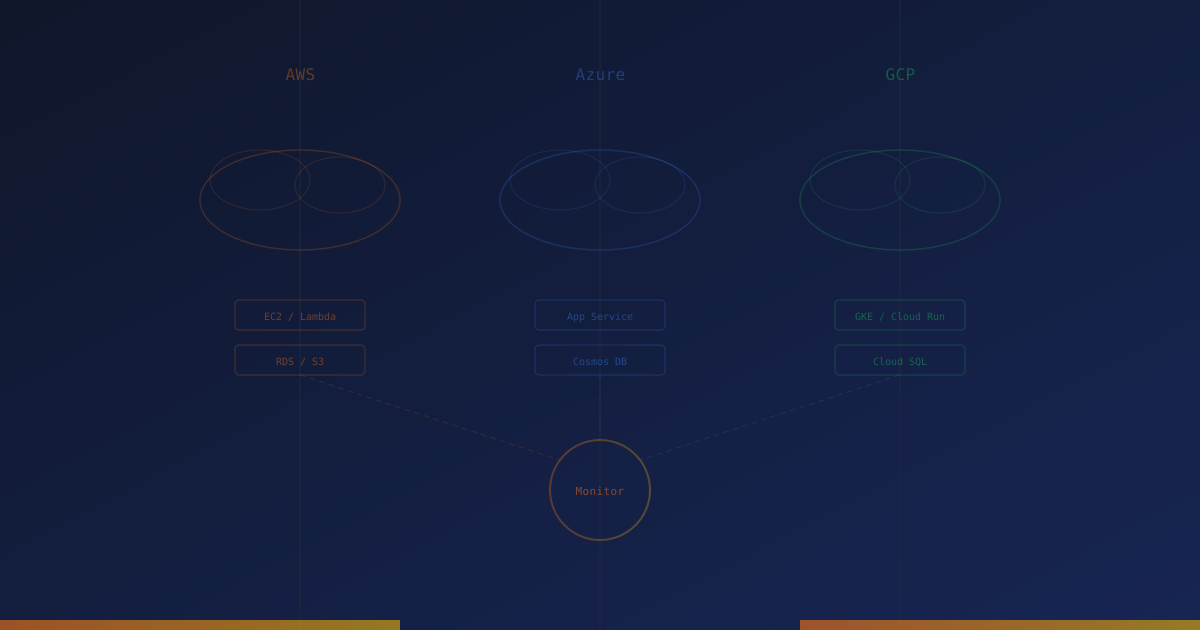
AWS Monitoring
Key AWS services to monitor:
EC2 Instances:
- Instance status checks (system and instance-level).
- CPU, memory, disk, and network utilization.
- Auto-scaling group health and scaling events.
RDS Databases:
- CPU and memory utilization.
- Free storage space and I/O performance.
- Read replica lag.
- Connection count vs. maximum connections.
- Slow query log analysis.
S3 Storage:
- Request rates and error rates.
- Bucket size and object count growth.
- Access patterns for cost optimization.
Lambda Functions:
- Invocation count and error rate.
- Duration vs. configured timeout.
- Throttling events.
- Cold start frequency and duration.
Load Balancers (ALB/NLB):
- Target group health check status.
- Request count and error rates.
- Latency percentiles.
- Active connection count.
Azure Monitoring
Key Azure services to monitor:
Virtual Machines:
- VM availability status.
- CPU, memory, disk, and network metrics.
- VM scale set health and scaling events.
Azure SQL Database:
- DTU or vCore utilization.
- Storage utilization.
- Connection failures.
- Deadlock detection.
App Service:
- HTTP error rates (4xx, 5xx).
- Response time.
- CPU and memory percentage.
- Instance count and health.
Azure Functions:
- Execution count and failure rate.
- Duration.
- Queue trigger depth.
GCP Monitoring
Key GCP services to monitor:
Compute Engine:
- Instance uptime and availability.
- Resource utilization.
- Managed instance group health.
Cloud SQL:
- CPU and memory utilization.
- Storage autoresize events.
- Replication lag.
- Active connections.
Cloud Run / Cloud Functions:
- Request count and latency.
- Container instance count.
- Cold start frequency.
- Memory utilization.
Multi-Cloud Monitoring Considerations
Organizations using multiple cloud providers face additional challenges:
Unified Visibility
Avoid cloud-specific monitoring silos. Use monitoring tools that can aggregate data across providers into a single view.
Cross-Cloud Dependencies
Applications might span multiple clouds (frontend on AWS CloudFront, backend on GCP Cloud Run, database on Azure SQL). Monitor the connections between clouds, not just each cloud independently.
Provider Status Correlation
When an issue is detected, check all cloud provider status pages to determine if it is caused by a provider outage.
External Monitoring for Cloud Infrastructure
Cloud provider monitoring tools (CloudWatch, Azure Monitor, Cloud Monitoring) provide internal visibility. But they share a critical limitation: they monitor from inside the cloud. If the cloud provider's network has an issue, the monitoring itself might be affected.
External uptime monitoring complements cloud-native monitoring by:
- Testing from outside the cloud: If external monitoring cannot reach your application, neither can your users.
- Provider-independent measurement: External monitoring continues working when cloud provider monitoring is degraded.
- Multi-region verification: Check that your application is accessible from multiple global locations, regardless of which cloud regions you deploy in.
- SSL and DNS monitoring: Verify that certificates and DNS resolution work correctly from the public internet.
Best Practices
- Deploy across multiple availability zones within each region for high availability.
- Monitor the cloud provider's status page and integrate status feeds into your alerting.
- Set up budget alerts alongside performance monitoring - runaway costs indicate resource issues.
- Use infrastructure-as-code to prevent configuration drift and enable auditing.
- Monitor service quotas and limits proactively, not just when you hit them.
- Implement external monitoring for all public-facing endpoints to verify user-perspective availability.
- Test failover regularly - monitor that failover mechanisms actually work, not just that they exist.
Start Monitoring Your Uptime Today
Monitor websites, servers, APIs, and SSL certificates 24/7. Get instant alerts and detailed reports. Free to start - no credit card required.
Conclusion
Cloud infrastructure monitoring requires understanding that the cloud is not infinitely reliable - it is someone else's computers, managed by someone else, with their own failure modes. By combining cloud-native monitoring tools with external uptime monitoring, you achieve the dual perspective needed to maintain reliability: the inside view of resource utilization and service health, and the outside view of what your users actually experience.
Monitor your website uptime
Start monitoring in 30 seconds. Get instant alerts when your website goes down. No credit card required.
Related Articles

Database Monitoring: Essential Health Checks for MySQL and PostgreSQL
11 min read
Monitoring Microservices: Strategies for Distributed System Observability
11 min read
Load Balancer Monitoring: Maintaining High Availability at Scale
10 min read