Uptime Monitoring for SaaS Platforms: A Comprehensive Guide
SaaS platforms need 99.99% uptime to retain customers. Learn monitoring strategies specific to SaaS including multi-tenant monitoring, API health, and customer-facing status pages.
UptimeMonitorX Team
Published March 6, 2026
Uptime Monitoring for SaaS Platforms
Software-as-a-Service platforms have unique monitoring requirements that go beyond traditional website monitoring. Your customers depend on your platform for their business operations, and any downtime directly impacts their productivity and revenue. SaaS monitoring must cover the web application, APIs, background processing, multi-tenant isolation, and customer-facing transparency - all simultaneously.
Why SaaS Monitoring Is Different
SaaS platforms face monitoring challenges that traditional websites do not:
Multi-Tenancy
SaaS platforms serve multiple customers on shared infrastructure. A problem affecting one tenant might not affect others, making it difficult to detect with generic uptime monitoring. You need monitoring that can detect tenant-specific issues.
API-First Architecture
Most SaaS platforms expose APIs that customers integrate into their workflows. API availability is as important as - or more important than - frontend availability. A broken API can trigger cascading failures across your customers' systems.
Data Processing Pipelines
SaaS platforms typically run background data processing pipelines: report generation, data imports, notifications, billing, and analytics. These pipelines must be monitored independently from the web interface.
Customer Expectations
SaaS customers expect:
- 99.9% to 99.99% uptime (8.7 hours to 52 minutes of annual downtime).
- Transparent communication about incidents via status pages.
- SLA commitments with financial penalties for violations.
- Fast incident response and recovery.
The bar is high, and monitoring must match these expectations.
Essential SaaS Monitoring Components
Web Application Monitoring
Monitor your SaaS application's web interface from multiple global locations:
- Login flow: Monitor the authentication endpoint. If users cannot log in, the rest of the application is irrelevant.
- Dashboard load: Monitor the main dashboard or landing page after authentication. This is the first thing users see.
- Key features: Monitor the critical features that users depend on. For a project management SaaS, this might be task creation and board views. For an email marketing SaaS, this might be campaign sending and analytics.
- Response time: Track full-stack response time from multiple regions. SaaS users expect sub-second response times.
API Monitoring
SaaS APIs need comprehensive monitoring:
- Endpoint availability: Monitor all critical API endpoints for availability and correct responses.
- Authentication: Verify that API authentication works - failed auth is a complete blocker for API consumers.
- Response format: Validate that API responses match the documented schema. Schema changes break integrations.
- Rate limiting: Monitor that rate limiting is functioning correctly - both that legitimate traffic is not being blocked and that abuse is being throttled.
- Versioned endpoints: If you support multiple API versions, monitor each version independently.
Background Processing
Monitor all background processing systems:
- Job queue depth: How many jobs are waiting to be processed? Growing queues indicate processing bottlenecks.
- Processing rate: How many jobs are processed per minute? A sudden drop means workers are failing or stuck.
- Job failure rate: What percentage of jobs are failing? High failure rates indicate application bugs or dependency issues.
- Job latency: How long are jobs sitting in the queue before processing? This affects the timeliness of reports, notifications, and other user-facing features.
Database and Data Layer
SaaS databases require careful monitoring:
- Query performance: Monitor slow queries that affect user-facing features.
- Connection utilization: Multi-tenant databases can exhaust connections quickly.
- Data integrity: Monitor for data consistency issues across tenants.
- Replication lag: For read replicas, monitor lag to ensure data consistency.
Never Miss a Downtime Again
Monitor your websites, servers, and APIs 24/7. Get real-time alerts via 17+ channels including Email, Slack, Discord, Telegram & more. Start free - no credit card required.
Multi-Tenant Monitoring Strategies
Per-Tenant Health Checks
For large or enterprise tenants, implement dedicated monitoring:
- Test key workflows using tenant-specific credentials and data.
- Monitor per-tenant API response times and error rates.
- Track per-tenant resource consumption to detect noisy neighbors.
Noisy Neighbor Detection
In multi-tenant systems, one tenant's heavy usage can degrade performance for others. Monitor for:
- Individual tenants consuming disproportionate CPU, memory, or database resources.
- Tenant-specific API calls exceeding rate limits.
- Queue flooding by a single tenant blocking processing for others.
Tenant Isolation Verification
Regularly verify that tenant isolation is working correctly:
- Monitor for data leakage between tenants.
- Verify that error messages do not expose other tenants' information.
- Check that per-tenant rate limits and quotas are enforced.
Status Pages for Customer Transparency
SaaS customers expect transparency about system health. A public status page is essential:
What to Display
- Current status: Overall system health indicator.
- Component status: Individual status for each major feature (Web App, API, Email, Billing, etc.).
- Incident history: Recent incidents with timeline, description, and resolution.
- Planned maintenance: Upcoming maintenance windows with expected impact.
- Uptime history: 90-day uptime percentage for each component.
Automation
Integrate your status page with your monitoring:
- Automatically update component status when monitoring detects issues.
- Create incident reports from alert data.
- Post recovery updates when monitoring confirms resolution.
- Calculate and display uptime percentages from monitoring data.
SLA Management
Most SaaS platforms commit to uptime SLAs. Monitoring supports SLA management by:
Tracking SLA Compliance
- Calculate real-time SLA attainment based on monitoring data.
- Alert when the remaining SLA error budget is running low.
- Generate monthly SLA compliance reports for customers.
SLA Error Budget
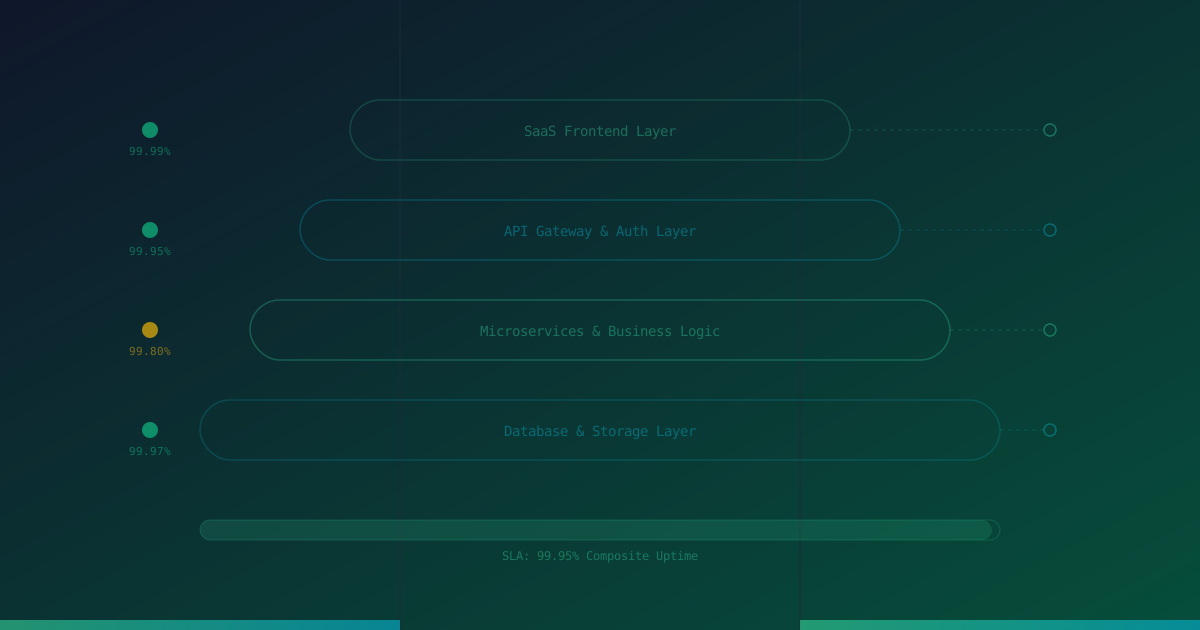
An error budget quantifies how much downtime you can afford within your SLA:
- 99.9% SLA: 43.8 minutes of downtime per month.
- 99.95% SLA: 21.9 minutes of downtime per month.
- 99.99% SLA: 4.38 minutes of downtime per month.
Monitor your error budget consumption rate. If you have used 50% of your monthly budget in the first week, you need to take action to prevent further incidents.
Incident Communication Workflow
When monitoring detects an issue:
- Detection: Monitoring alert fires.
- Triage: On-call engineer assesses severity and customer impact.
- Status page update: Post initial incident notification within 5 minutes.
- Investigation: Diagnose and begin resolution.
- Updates: Post status page updates every 15-30 minutes.
- Resolution: Fix the issue and confirm via monitoring.
- Recovery update: Post resolution notification on status page.
- Post-mortem: Conduct and publish a post-mortem within 48 hours.
Never Miss a Downtime Again
Monitor your websites, servers, and APIs 24/7. Get real-time alerts via 17+ channels including Email, Slack, Discord, Telegram & more. Start free - no credit card required.
Conclusion
SaaS platform monitoring requires a multi-dimensional approach that covers web interfaces, APIs, background processing, and tenant-specific health. Combined with customer-facing status pages and SLA tracking, comprehensive monitoring maintains the reliability and transparency that SaaS customers demand. Remember: your customers' businesses depend on your platform. Invest in monitoring accordingly.
Monitor your website uptime
Start monitoring in 30 seconds. Get instant alerts when your website goes down. No credit card required.