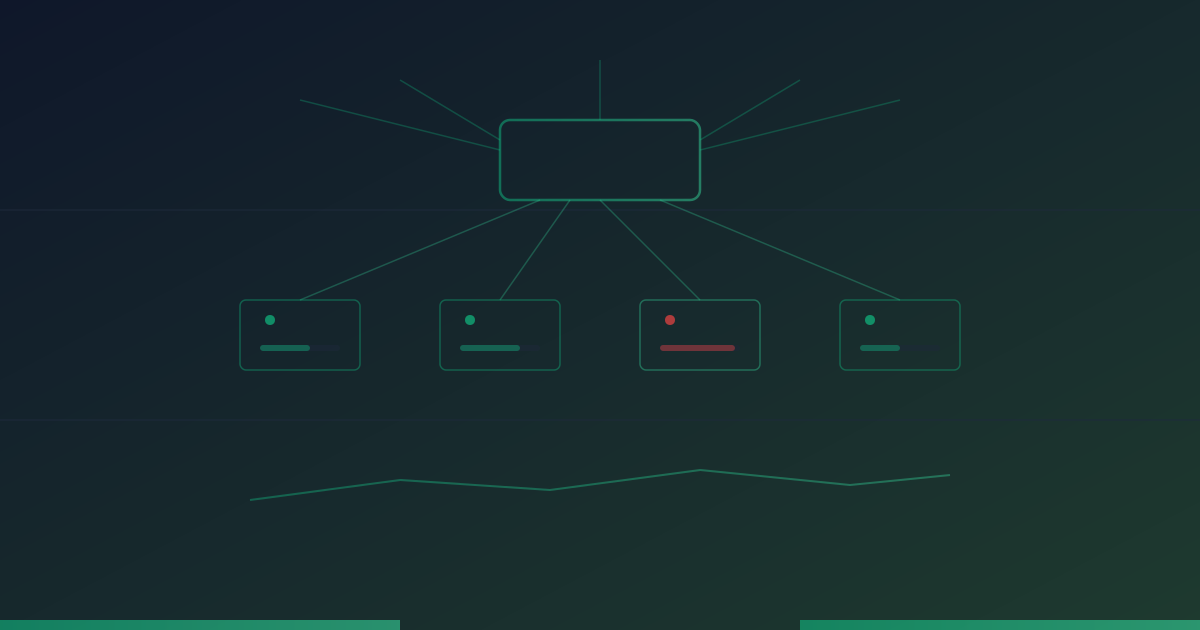
Load Balancer Monitoring: Maintaining High Availability at Scale
Load balancers are critical infrastructure for high-availability systems. Learn how to monitor load balancers, detect health check failures, and prevent traffic routing issues.
UptimeMonitorX Team
Published March 1, 2026
Load Balancer Monitoring: Maintaining High Availability
Load balancers sit at the front door of your infrastructure, distributing incoming traffic across multiple backend servers. When they work correctly, they make your application fast, reliable, and resilient. When they fail, every user is affected. Monitoring load balancers is essential for maintaining the high availability they are designed to provide.
How Load Balancers Work
A load balancer acts as a reverse proxy that receives all incoming requests and forwards them to one of several backend servers based on a distribution algorithm:
- Round Robin: Distributes requests evenly across backends in rotation.
- Least Connections: Sends requests to the backend with the fewest active connections.
- Weighted: Distributes based on configured weights, sending more traffic to more powerful servers.
- IP Hash: Routes requests from the same client IP to the same backend for session persistence.
Health Checks
Load balancers continuously check backend server health to ensure they only route traffic to healthy servers. Health checks typically:
- Send HTTP requests to a specific endpoint on each backend.
- Expect a 200 OK response within a timeout (e.g., 5 seconds).
- Mark a backend as unhealthy after N consecutive failures.
- Mark it as healthy again after M consecutive successes.
When a backend fails its health check, the load balancer stops routing traffic to it. When it recovers, traffic is gradually restored.
What to Monitor
Load Balancer Health
The load balancer itself can fail. Monitor:
- Availability: Is the load balancer reachable and responding? Use external monitoring to verify from multiple locations.
- CPU and memory usage: Load balancers under heavy traffic can exhaust resources.
- Connection limits: Most load balancers have a maximum concurrent connection limit.
- SSL/TLS performance: If the load balancer handles SSL termination, monitor certificate validity and handshake latency.
Backend Health
Monitor the status of each backend server as seen by the load balancer:
- Healthy backends: How many backends are currently in the healthy pool?
- Unhealthy backends: How many have failed health checks?
- Health check flapping: Backends repeatedly toggling between healthy and unhealthy indicate unstable services.
A critical alert should fire when the number of healthy backends drops below a minimum threshold. If you have 4 backends and 3 are unhealthy, the remaining server is handling all traffic and will likely fail under the load.
Traffic Distribution
Monitor how traffic is distributed across backends:
- Request distribution: Is traffic being distributed as expected (evenly for round-robin)?
- Connection distribution: Are connections balanced, or is one backend handling disproportionate load?
- Response time per backend: Are all backends responding at similar speeds?
Uneven distribution can indicate configuration issues, health check problems, or a backend that is technically healthy but performing poorly.
Error Rates
Track errors at the load balancer level:
- 5xx errors: Backend server errors visible to users.
- 502 Bad Gateway: The load balancer cannot connect to any healthy backend.
- 503 Service Unavailable: No healthy backends available, or connection limits reached.
- 504 Gateway Timeout: Backend failed to respond within the timeout period.
A spike in load balancer errors often indicates backend problems, not load balancer problems. But the load balancer is where you first detect them.
Performance Metrics
- Request rate: Total requests per second handled by the load balancer.
- Bandwidth: Total data transferred through the load balancer.
- Latency added: The time the load balancer itself adds to each request (should be minimal, under 1ms).
- SSL handshake time: Time spent on TLS negotiation for HTTPS connections.
Start Monitoring Your Uptime Today
Monitor websites, servers, APIs, and SSL certificates 24/7. Get instant alerts and detailed reports. Free to start - no credit card required.
Common Load Balancer Issues
All Backends Unhealthy
When the load balancer marks all backends as unhealthy, all requests fail. This can happen due to:
- A genuine outage affecting all backends.
- An overly aggressive health check configuration.
- A health check endpoint that is more fragile than the actual application.
- Network issues between the load balancer and the backends.
Sticky Session Problems
When using session persistence (sticky sessions), a heavily loaded user can cause one backend to be overloaded while others are idle. If the sticky backend goes down, all users stuck to that backend lose their sessions simultaneously.
Certificate Expiration
If the load balancer handles SSL termination, an expired certificate will cause HTTPS failures for all traffic. Monitor SSL certificates with alerts starting 30 days before expiration.
Configuration Drift
In environments with multiple load balancers, configuration differences between them can cause inconsistent behavior. Monitor configurations for drift.
Capacity Exhaustion
Load balancers have limits on concurrent connections, new connections per second, and bandwidth. Exceeding these limits causes request failures that can look like application errors.
External Monitoring for Load Balancers
External monitoring is particularly important for load balancers because they are the single entry point for all traffic:
- HTTP/HTTPS monitoring: Verify the load balancer URL is reachable and returning expected responses.
- Multi-region monitoring: Check from multiple global locations to ensure the load balancer is accessible worldwide.
- SSL monitoring: Track certificate expiration and configuration.
- Response time monitoring: Detect when the load balancer or its backends are slowing down.
- Content validation: Verify that the load balancer is serving correct content, not error pages.
Because the load balancer is the first thing users hit, external monitoring of the load balancer effectively monitors your entire application's availability from the user's perspective.
Conclusion
Load balancers are critical infrastructure that require dedicated monitoring attention. They are the single point where all traffic flows, making them both vital for high availability and a potential single point of failure. Monitor the load balancer's own health, backend pool status, traffic distribution, and error rates. Complement internal metrics with external uptime monitoring to ensure your load balancer - and by extension, your entire application - is accessible and performing well from your users' perspective.
Monitor your website uptime
Start monitoring in 30 seconds. Get instant alerts when your website goes down. No credit card required.
Related Articles

Database Monitoring: Essential Health Checks for MySQL and PostgreSQL
11 min read
Monitoring Microservices: Strategies for Distributed System Observability
11 min read
Cloud Infrastructure Monitoring: Best Practices for AWS, Azure, and GCP
12 min read