Multi-Channel Alert Systems for Uptime Monitoring: Complete Setup Guide
Learn how to set up effective multi-channel alerting for uptime monitoring. Configure Email, Slack, Telegram, Discord, and WhatsApp alerts for maximum coverage.
UptimeMonitorX Team
Published January 12, 2026
Multi-Channel Alert Systems for Uptime Monitoring
When your website or server goes down, the speed of your response directly determines the cost of the outage. But you can only respond if you know about the problem. This is where multi-channel alerting becomes critical. Relying on a single notification channel - whether it is email, SMS, or a messaging app - creates a single point of failure in your incident response process. If that channel is unavailable, you will not receive the alert, and the outage will continue undetected.
Why Single-Channel Alerting Is Not Enough
Consider this scenario: Your monitoring system is configured to send email alerts when your website goes down. At 2:00 AM, your website crashes. The monitoring system detects the failure and sends an email alert. But your email server is on the same infrastructure as your website - it is also down. The alert is never sent, and you do not learn about the outage until customers start calling the next morning.
This is not a hypothetical case. It happens frequently, and it illustrates why multi-channel alerting is essential:
- Email servers can go down - especially if they share infrastructure with the monitored service
- Spam filters may catch automated alert emails
- Phone notifications may be silenced during sleep hours
- App notifications depend on internet connectivity and app installation
- SMS delivery can be delayed by carrier issues
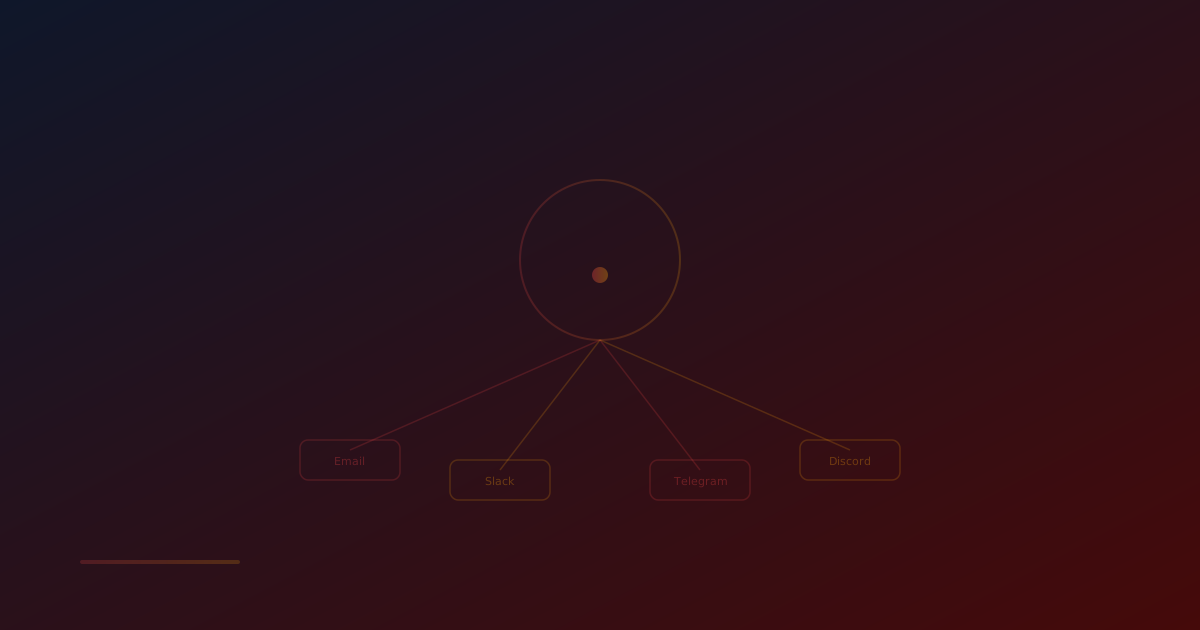
Multi-channel alerting eliminates these vulnerabilities by sending alerts through multiple independent channels simultaneously.
Available Alert Channels
Modern monitoring platforms like UptimeMonitorX support multiple notification channels. Here is a detailed look at each:
Email Alerts
Strengths: Universal, detailed, supports rich formatting, creates a permanent record
Weaknesses: Can be delayed, caught by spam filters, dependent on email server availability
Best For: Detailed incident information, audit trail, non-urgent notices
Email remains the most common alert channel. It is excellent for detailed notifications that include incident context, response time graphs, and links to dashboards. However, it should never be your only channel.
Best Practices for Email Alerts:
- Use a dedicated email address for monitoring alerts
- Whitelist your monitoring service's sending domain
- Configure email rules to prevent alerts from being filtered
- Include actionable information in the email body
Slack Integration
Strengths: Team visibility, threaded discussions, channel-based organization, rich formatting
Weaknesses: Requires Slack subscription, depends on Slack availability, can get lost in busy channels
Best For: Team collaboration, incident coordination, real-time team awareness
Slack integration allows alerts to be posted to specific channels, giving entire teams visibility into incidents. Threads enable discussion and coordination right alongside the alert.
Best Practices for Slack Alerts:
- Create a dedicated #monitoring-alerts channel
- Configure channel notifications so the channel does not get muted
- Use @channel or @here mentions for critical alerts
- Pin important alerts for reference
Telegram Alerts
Strengths: Instant delivery, works worldwide, lightweight, supports bots, reliable
Weaknesses: Requires Telegram account, less common in corporate environments
Best For: Personal alerts, on-call notifications, global teams
Telegram's bot API makes it an excellent channel for monitoring alerts. Messages are delivered instantly, support rich formatting, and can include buttons for quick actions.
Best Practices for Telegram Alerts:
- Create a dedicated monitoring bot
- Add the bot to a group for team alerts or use direct messages for personal alerts
- Enable notification sounds for the monitoring chat
- Do not mute the monitoring chat
Discord Alerts
Strengths: Webhook support, channel organization, team visibility, rich embeds
Weaknesses: Primarily associated with gaming, may not be suitable for all organizations
Best For: Development teams, open-source projects, tech-savvy teams
Discord webhooks provide a reliable way to deliver monitoring alerts to team channels. Rich embed support allows for well-formatted alerts with color-coded severity levels.
Best Practices for Discord Alerts:
- Use a dedicated server or channel for monitoring
- Configure role-based notifications for different severity levels
- Use webhook embeds for structured alert information
- Set up notification preferences per channel
WhatsApp Alerts
Strengths: Ubiquitous, personal device delivery, high open rates, works with poor connectivity
Weaknesses: Business API required, message template restrictions, cost per message
Best For: Critical alerts, executive notifications, regions where WhatsApp is dominant
WhatsApp has the highest message open rate of any messaging platform - over 98%. For critical alerts that absolutely must be seen, WhatsApp is an excellent choice.
Best Practices for WhatsApp Alerts:
- Reserve for critical alerts only to avoid notification fatigue
- Use approved message templates for consistent formatting
- Include clear action items in each alert
- Test delivery reliability regularly
SMS/Text Messages
Strengths: Universal, no internet required, high deliverability, works on basic phones
Weaknesses: Character limits, cost per message, can be delayed by carriers
Best For: Critical alerts when internet connectivity may be unavailable
SMS is a reliable fallback channel because it does not require internet connectivity nor smartphone features.
Phone Calls
Strengths: Impossible to miss, immediate attention, escalation-friendly
Weaknesses: Intrusive, expensive, limited information conveyance
Best For: Critical P1 incidents, final escalation tier
Automated phone calls are the most intrusive alert method - which is exactly what you want for critical incidents at 3:00 AM.
Get Alerts Where It Matters
Receive instant downtime notifications via 17+ channels including Email, Slack, Discord, Telegram, MS Teams, PagerDuty & more. Never miss a critical outage again.
Designing Your Alert Strategy
An effective alert strategy considers several dimensions:
Alert Severity Levels
Define severity levels and map them to appropriate channels:
P1 - Critical (Service Down)
- All channels simultaneously: Email + Slack + Telegram + WhatsApp + SMS
- Immediate escalation if not acknowledged within 5 minutes
- Example: Website completely down, payment processing failure
P2 - High (Degraded Service)
- Primary channels: Email + Slack + Telegram
- Escalation after 15 minutes if unacknowledged
- Example: High response times, intermittent failures, SSL expiry within 7 days
P3 - Medium (Warning)
- Standard channels: Email + Slack
- Escalation after 1 hour if unacknowledged
- Example: Elevated error rates, resource utilization warnings, SSL expiry within 30 days
P4 - Low (Informational)
- Email only or Slack channel post
- No escalation required
- Example: Planned maintenance reminders, weekly uptime reports
Escalation Policies
Configure escalation so critical alerts reach the right people:
- First Responder (0-5 minutes): On-call engineer receives alert via all configured channels
- Second Responder (5-15 minutes): If unacknowledged, backup on-call engineer is notified
- Team Lead (15-30 minutes): If still unresolved, engineering lead is alerted
- Management (30+ minutes): For extended outages, senior management is notified
Time-Based Routing
Consider routing alerts differently based on time of day:
- Business hours: Team channels (Slack, Discord) + individual alerts
- After hours: Personal channels (Telegram, WhatsApp, SMS) + phone for critical issues
- Weekends/Holidays: On-call rotation with escalation policies
Avoiding Alert Fatigue
Alert fatigue is the single biggest threat to effective monitoring. When teams receive too many alerts, they start ignoring them - including the critical ones. Here is how to prevent alert fatigue:
1. Eliminate False Positives
- Use confirmation checks before alerting (re-test after initial failure)
- Monitor from multiple locations and require consensus
- Set appropriate thresholds (not too sensitive)
- Regularly review and tune alert conditions
2. Consolidate Related Alerts
- Group alerts from related services into a single notification
- Use incident-based alerting (one alert per incident, not per check)
- Include recovery notifications so teams know when issues resolve
3. Prioritize Effectively
- Not every alert needs to go to every channel
- Match alert severity to appropriate channels and recipients
- Reserve intrusive channels (phone, SMS) for truly critical issues
4. Regular Review
- Monthly review of alert volume and patterns
- Identify and fix noisy monitors
- Remove monitors for decommissioned services
- Update thresholds based on current baselines
Implementing Multi-Channel Alerts with UptimeMonitorX
UptimeMonitorX makes multi-channel alerting straightforward:
- Add Notification Channels: Configure Email, Slack webhooks, Telegram bots, Discord webhooks, and WhatsApp in your account settings.
- Assign Channels to Monitors: For each monitor, select which notification channels should receive alerts.
- Set Alert Conditions: Configure when alerts are triggered - immediately on first failure, after consecutive failures, or based on response time thresholds.
- Test Your Setup: Use the test notification feature to verify that all channels are working and alerts are being received.
- Configure Recovery Alerts: Enable recovery notifications so your team knows when issues are resolved without having to check manually.
Testing Your Alert System
An untested alert system provides false confidence. Regularly test your alerting to verify:
- Alerts are delivered through all configured channels
- Alert content is clear and actionable
- The right people receive the right alerts
- Escalation policies work as configured
- Recovery notifications are sent when issues resolve
- Alerts are delivered within acceptable timeframes
Schedule monthly alert testing and document the results.
Get Alerts Where It Matters
Receive instant downtime notifications via 17+ channels including Email, Slack, Discord, Telegram, MS Teams, PagerDuty & more. Never miss a critical outage again.
Conclusion
Multi-channel alerting is not a luxury - it is a necessity for effective uptime monitoring. By distributing alerts across multiple independent channels, you eliminate single points of failure and ensure that critical issues are always detected and communicated promptly.
Design your alert strategy thoughtfully, mapping severity levels to appropriate channels and recipients. Implement escalation policies to handle unresponsive situations. And always guard against alert fatigue by maintaining clean, accurate, and well-tuned monitoring configurations.
With UptimeMonitorX's multi-channel alerting - supporting Email, Slack, Telegram, Discord, and WhatsApp - you can build a robust notification system that ensures no downtime event goes unnoticed.
Monitor your website uptime
Start monitoring in 30 seconds. Get instant alerts when your website goes down. No credit card required.