Conquering Alert Fatigue: How to Reduce Noise and Build Smart Escalation
Too many alerts are as dangerous as too few. Learn how to combat alert fatigue with intelligent thresholds, alert grouping, escalation policies, and noise reduction strategies.
UptimeMonitorX Team
Published March 24, 2026
Conquering Alert Fatigue: How to Reduce Noise and Build Smart Escalation
Alert fatigue kills monitoring effectiveness. It happens gradually: your monitoring system sends 40 alerts per day, most of which are transient blips or non-actionable warnings. Your on-call engineer learns to ignore the constant noise. Then a real, critical alert arrives - and it is dismissed as yet another false positive. The result is the worst possible outcome: you have monitoring, you paid for monitoring, but it fails to protect you when it matters because the people receiving alerts have been trained by the system itself to ignore them.
Research from the healthcare industry (where alert fatigue in clinical systems is a patient safety concern) shows that when alert override rates exceed 90%, the probability of a critical alert being missed increases dramatically. The same principle applies to infrastructure monitoring. If 9 out of 10 alerts do not require action, the 10th one will likely be ignored too.
Diagnosing Your Alert Fatigue Problem
Before fixing alert fatigue, measure it. Pull your alert history for the past 30 days and classify every alert:
Actionable alerts required an engineer to investigate and take corrective action. These are alerts that worked correctly.
Informational alerts provided useful context but did not require action. These should be redirected to dashboards or low-priority channels, not sent as pages.
False positives fired due to monitoring configuration issues, transient network blips, or thresholds that are too sensitive. These should be eliminated or suppressed.
Duplicate alerts reported the same underlying issue as another alert. A database outage that triggers 15 separate alerts from 15 dependent services creates 14 duplicates.
Calculate your signal-to-noise ratio: actionable alerts divided by total alerts. If this ratio is below 50%, your team is drowning in noise. The target is 80% or higher - at least 4 out of 5 alerts should require action.
Strategy 1: Implement Intelligent Thresholds
Most alert fatigue comes from thresholds that are too sensitive:
Use sustained-duration thresholds instead of instant triggers. Do not alert the moment a single health check fails. Alert when checks fail for 3 consecutive minutes. This eliminates false positives from transient network hiccups, brief DNS resolution delays, and momentary server load spikes. If a single check takes 30 seconds, 3 consecutive failures means 90 seconds of confirmed downtime - fast enough for a real outage, slow enough to filter noise.
Set thresholds based on historical data, not guesses. If your API's P95 response time normally ranges from 150ms to 400ms depending on time of day, alerting at 500ms will fire during every traffic peak. Set the threshold at a level that truly indicates a problem: perhaps 800ms sustained for 5 minutes. Use your monitoring history to identify the normal range and set alerts above it.
Differentiate between warning and critical thresholds. Warning alerts (disk at 80%, response time elevated) go to a Slack channel. Critical alerts (site down, database unreachable) send SMS and phone calls. If both levels generate the same notification, your team cannot prioritize.
Get Alerts Where It Matters
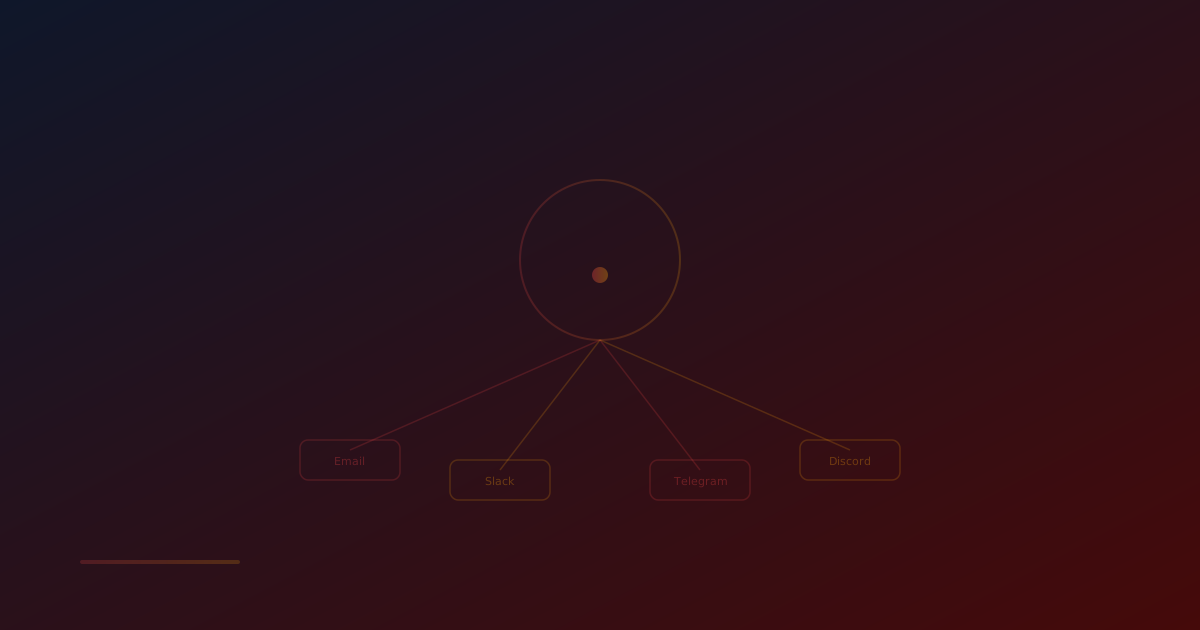
Receive instant downtime notifications via 17+ channels including Email, Slack, Discord, Telegram, MS Teams, PagerDuty & more. Never miss a critical outage again.
Strategy 2: Alert Grouping and Deduplication
A single root cause should generate a single notification, not a cascade:
Group alerts by infrastructure dependency. If your database server fails, every service that depends on it will report errors. Configure your alerting to recognize this pattern: when the database alert fires, suppress or group the dependent service alerts into a single notification. The message should say "Database server unreachable - 12 dependent services affected" rather than 12 separate alerts.
Implement alert suppression windows. When a critical alert fires, suppress related lower-severity alerts for the same component for a defined period (e.g., 15 minutes). If the server is already confirmed down, you do not need additional alerts about high response times for the same server.
Deduplicate across monitoring locations. If you monitor from 5 geographic locations and a site goes down globally, you will receive 5 separate failure notifications. Configure your monitoring to consolidate these into a single alert: "Site down from all 5 monitoring locations" rather than 5 individual alerts with 30-second spacing.
Strategy 3: Route Alerts by Severity and Audience
Not every alert needs to reach the on-call engineer's phone:
Tier 1 - Page immediately (phone call, SMS): Complete service outage, security breach detected, data loss risk. Reserve this tier for events that require immediate human intervention regardless of time of day. Target: fewer than 5 per month.
Tier 2 - Notify actively (Slack, push notification): Performance degradation, elevated error rates, dependency warnings, approaching capacity limits. These need attention within the hour but do not justify waking someone up. Target: 2-5 per day maximum.
Tier 3 - Log for review (email, dashboard): Informational events, SSL certificates expiring in 30+ days, minor configuration warnings, resolved incidents. Engineering reviews these during business hours. Volume is uncapped but should be organized for efficient review.
Define which alerts belong to which tier and enforce it. The most common mistake is routing everything to Tier 1 "just in case." This guarantees alert fatigue.
Strategy 4: Build Effective Escalation Policies
Escalation policies ensure that alerts are acknowledged and acted upon without over-notifying:
Primary on-call gets the first notification. If they do not acknowledge within 5 minutes, escalate to the secondary on-call. If the secondary does not acknowledge within 5 minutes, escalate to the engineering manager. This three-tier escalation ensures coverage without alerting everyone simultaneously.
Require acknowledgment to stop escalation. An acknowledged alert is not a resolved alert - it means someone is looking at it. But acknowledgment stops the escalation chain, preventing unnecessary pages to backup responders.
Implement auto-resolution for transient alerts. If a service goes down and recovers within 2 minutes before anyone acknowledges the alert, auto-resolve it and send a brief notification: "Service X was briefly unavailable for 90 seconds at 3:42 AM. Automatically recovered. No action required." This keeps the team informed without requiring action.
Rotate on-call regularly. Alert fatigue compounds when the same person is on-call for extended periods. Weekly rotations are the most common pattern. Ensure handoffs include a summary of active alerts and ongoing issues.
Strategy 5: Regular Alert Review and Pruning
Alert configurations are not set-and-forget. Schedule a monthly alert review:
Review all alerts that fired in the past month. For each alert, ask: Was this actionable? If not, should we raise the threshold, change the notification channel, or remove it entirely?
Identify the top 5 noisiest alerts. These are the alerts that fire most frequently. For each one, decide: Is the threshold too sensitive? Is the underlying issue a known problem that should be fixed rather than alerted on? Can this be converted from a page to a dashboard metric?
Ask your on-call engineers what frustrated them. The people receiving alerts at 3 AM have the best insight into which alerts are noisy, poorly configured, or genuinely valuable. Create a feedback mechanism where on-call can tag alerts as "useful" or "noise" during their rotation.
Remove alerts for decommissioned services. Old monitoring configurations for services that no longer exist or have been replaced are a common source of noise. Audit your alert list against your current infrastructure.
Get Alerts Where It Matters
Receive instant downtime notifications via 17+ channels including Email, Slack, Discord, Telegram, MS Teams, PagerDuty & more. Never miss a critical outage again.
Strategy 6: Context-Rich Alert Messages
When an alert does fire, it should contain enough information for the responder to start investigating immediately:
A well-structured alert message includes: what is failing (specific endpoint, service, or server), when it started (timestamp of first failure), how severe it is (severity level and business impact), what the current state is (response time, error rate, affected regions), and what to do next (link to runbook, monitoring dashboard, or escalation instructions).
Compare these two alerts:
- Bad: "Alert: Website down"
- Good: "CRITICAL: /checkout endpoint returning 503 from all 5 monitoring locations since 14:32 UTC. Response time: timeout. Affected: checkout flow. Runbook: https://wiki.internal/checkout-outage"
The second alert reduces time-to-investigate from minutes to seconds.
Measuring Alert Quality Over Time
Track these metrics monthly to verify that your alert fatigue reduction efforts are working:
Alert volume: Total alerts per week. This should decrease as you eliminate noise.
Signal-to-noise ratio: Percentage of actionable alerts. Target 80%+.
MTTA (Mean Time to Acknowledge): How quickly engineers respond to alerts. If this is increasing, fatigue may be worsening despite other improvements.
Alert override rate: How often engineers dismiss or snooze alerts without investigating. A high override rate is the clearest indicator of alert fatigue.
Escalation rate: How often alerts escalate beyond the primary on-call. Frequent escalations might indicate that the primary on-call is overwhelmed or ignoring alerts.
Conclusion
Alert fatigue is not an inevitable consequence of monitoring - it is a design problem with engineering solutions. Intelligent thresholds filter transient noise. Alert grouping prevents cascading notifications. Severity-based routing ensures that only genuinely critical events wake people up. Regular review and pruning keep your alert configuration aligned with your current infrastructure. The goal is not fewer alerts in absolute terms - it is ensuring that every alert your team receives is worth their attention.
Monitor your website uptime
Start monitoring in 30 seconds. Get instant alerts when your website goes down. No credit card required.