Zero Downtime Deployment: Strategies to Deploy Without Affecting Uptime
Deployments are the most common cause of outages. Learn zero-downtime deployment strategies including blue-green, canary, rolling updates, and feature flags with monitoring integration.
UptimeMonitorX Team
Published March 24, 2026
Zero Downtime Deployment: Strategies to Deploy Without Affecting Uptime
Deployments are the single most common cause of production outages. Industry surveys consistently show that 60-70% of incidents are triggered by changes - code deployments, configuration updates, infrastructure modifications. Every deployment is a calculated risk: you are replacing working software with new, potentially broken software while users are actively using the system.
Zero downtime deployment eliminates the maintenance window. Users never see an error page or loading spinner because of a deployment. The transition from old code to new code happens seamlessly, and if the new code has problems, it is rolled back before users notice. This is not just an engineering nicety - it is a business requirement for any service with global users across multiple time zones. There is no "low traffic window" when your users span 24 time zones.
Why Traditional Deployments Cause Downtime
In a traditional deployment, you stop the application, replace the code, and start it again. Even if this takes only 30 seconds, those 30 seconds are downtime. But the reality is usually worse:
Server restart time - Application servers do not start instantly. A Node.js application might start in 2-3 seconds, but a Java application with Spring Boot can take 30-60 seconds. During this time, the server cannot handle requests.
Database migrations - Schema changes can lock tables for minutes or hours. An ALTER TABLE on a table with 50 million rows can block all reads and writes while the migration runs.
Cache warming - After a restart, application caches are empty, causing a thundering herd effect. Every request hits the database until caches repopulate, potentially overwhelming the database.
Configuration errors - A new deployment might have incorrect environment variables, missing secrets, or misconfigured service connections. These errors only surface when the new code starts handling real requests.
Strategy 1: Blue-Green Deployment
Blue-green deployment maintains two identical production environments: Blue (current) and Green (new). At any given time, one environment is live and the other is idle or being prepared.
How it works:
- Both Blue and Green environments are running. Blue is serving all traffic.
- Deploy the new version to Green.
- Run health checks and smoke tests against Green.
- Switch the load balancer to route traffic from Blue to Green.
- Green is now live. Blue remains running as a fallback.
- If problems are detected, switch the load balancer back to Blue in seconds.
Advantages: Instant rollback (just switch the load balancer back), full environment testing before any users see the new code, no resource contention between old and new versions.
Monitoring integration: Before switching traffic to Green, run your full suite of synthetic monitoring checks against the Green environment directly. Verify that health endpoints respond, critical user flows complete, API response times are within expected ranges, and database connections are healthy. After the switch, monitor error rates and response times closely for the first 15 minutes. If error rates spike above your threshold, trigger an automatic rollback.
Challenge: You need to maintain two complete environments, which doubles infrastructure costs during the transition period. Database changes must be backward-compatible since both environments share the same database.
Uptime Monitoring Built for DevOps Teams
Integrate uptime monitoring into your DevOps workflow. SLA reports, incident management, and multi-channel alerts for modern engineering teams.
Strategy 2: Canary Deployment
Canary deployment routes a small percentage of traffic to the new version while the majority continues using the old version. If the new version performs well, traffic is gradually increased until it handles 100%.
Typical canary progression:
- Deploy new version to a small set of servers (5% of capacity).
- Route 5% of traffic to the new version.
- Monitor error rates, response times, and business metrics for 15-30 minutes.
- If metrics are healthy, increase to 25% of traffic.
- Monitor for another 15-30 minutes.
- Increase to 50%, then 75%, then 100%.
- If any stage shows degradation, route all traffic back to the old version.
Advantages: Real user traffic validates the new version with limited blast radius. Problems affect only a small percentage of users. Data-driven promotion decisions based on actual production metrics.
Monitoring integration: Canary deployments require sophisticated monitoring comparison. You need to compare error rates and response times between the canary (new version) and the baseline (old version) in real time. A 0.5% error rate might be normal for your application - but if the canary shows 0.5% errors and the baseline shows 0.1%, the canary has a problem even though 0.5% does not look alarming in isolation.
Set automated rollback triggers: if the canary's error rate exceeds the baseline's error rate by more than a defined threshold (e.g., 2x), or if response time P95 increases by more than 50%, automatically route all traffic back to the old version.
Strategy 3: Rolling Update
Rolling updates gradually replace old instances with new instances, one or a few at a time. This is the default deployment strategy in Kubernetes.
How it works:
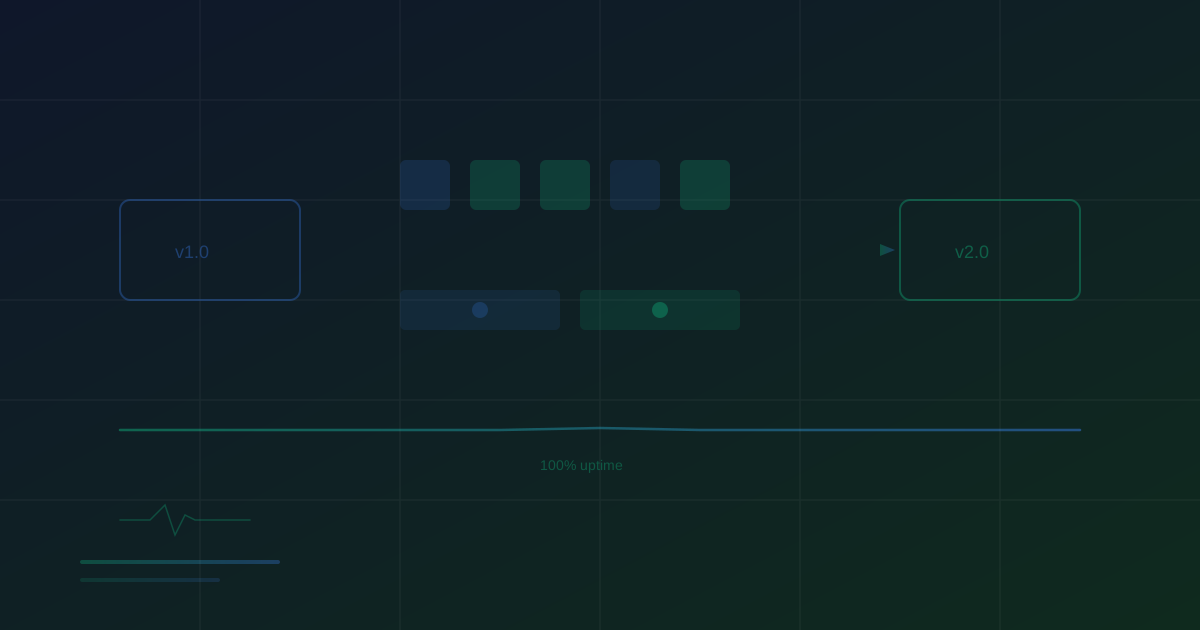
- You have 10 instances running v1.
- The rolling update starts one new v2 instance.
- When the v2 instance passes health checks, one v1 instance is terminated.
- Repeat until all 10 instances are running v2.
Configuration parameters that control the rollout: maxSurge (how many extra instances can be created during the update - determines deployment speed) and maxUnavailable (how many instances can be down during the update - determines minimum capacity).
Advantages: No additional infrastructure cost (unlike blue-green), built into most container orchestration platforms, gradual rollout limits blast radius.
Monitoring integration: Monitor the health of newly launched instances. Kubernetes will wait for readiness probes to pass before routing traffic to a new instance. Configure your readiness probes to verify database connectivity, cache availability, and application health - not just that the HTTP server is listening. Monitor the overall service error rate during the rollout. If errors spike as new instances come online, pause or rollback the deployment.
Strategy 4: Feature Flags
Feature flags decouple deployment from release. You deploy new code to production but keep it hidden behind a feature flag that is turned off. When you are ready, you enable the flag - instantly activating the feature for users. If problems occur, you disable the flag - instantly deactivating the feature without a deployment.
How it works:
- New code is deployed but wrapped in a conditional:
if (featureFlags.newCheckout) { ... }
- The feature flag starts disabled. All users see the old behavior.
- Enable the flag for internal users only. Test thoroughly.
- Enable for 5% of users. Monitor.
- Gradually increase to 100%.
- If problems arise at any stage, disable the flag instantly.
Advantages: Instant rollback (toggle the flag, no deployment needed), granular control (enable for specific user segments, regions, or accounts), separation of deploy and release cadence.
Monitoring integration: Track metrics per feature flag state. Split your monitoring dashboards to show error rates and response times for users with the flag enabled versus disabled. This gives you a direct comparison of the new feature's impact. Set automated feature flag kill switches: if error rates for flag-enabled users exceed a threshold, automatically disable the flag.
Database Migrations Without Downtime
Database schema changes are the hardest part of zero-downtime deployment. A traditional ALTER TABLE can lock the table and block all queries. Zero-downtime migrations use a multi-step approach:
Step 1 - Expand: Add new columns or tables without removing anything. The new columns are nullable or have defaults. The old code continues working because it ignores the new columns.
Step 2 - Migrate: Deploy code that writes to both old and new columns. Run a background migration to copy data from old columns to new columns for existing records.
Step 3 - Contract: Once all data is migrated and the new code is stable, deploy code that reads from the new columns only. In a later deployment, remove the old columns.
This three-step approach means no single deployment requires breaking schema changes. Each step is backward-compatible with the previous code version, enabling safe rollbacks at any point.
Uptime Monitoring Built for DevOps Teams
Integrate uptime monitoring into your DevOps workflow. SLA reports, incident management, and multi-channel alerts for modern engineering teams.
Monitoring Your Deployment Pipeline
The deployment process itself needs monitoring:
Track deployment frequency. How often are you deploying? Higher deployment frequency with smaller changes is generally safer than infrequent large deployments.
Track deployment duration. How long does a deployment take from start to finish? If deployments are getting slower, investigate whether build times, test suites, or infrastructure provisioning are the bottleneck.
Track deployment failure rate. What percentage of deployments require a rollback? If more than 5% of deployments are rolled back, your pre-production testing is not catching enough issues.
Track change failure rate. What percentage of deployments cause an incident? Combined with MTTR, this is one of the DORA (DevOps Research and Assessment) metrics that predict engineering team performance.
Implement deployment annotations in your monitoring. Mark each deployment on your monitoring timeline so you can visually correlate performance changes with specific deployments. When response times spike, a deployment annotation 5 minutes earlier immediately identifies the likely cause.
Post-Deployment Monitoring Checklist
After every deployment, verify these within the first 15 minutes:
- All health check endpoints returning 200 from all monitoring locations.
- Error rate has not increased compared to pre-deployment baseline.
- Response time P95 is within 20% of pre-deployment baseline.
- No new error types appearing in application logs.
- Key business metrics (signups, checkout completions, API call volume) are within normal range.
- Database query performance has not degraded.
- No memory leaks or CPU spikes on newly deployed instances.
Automate this checklist. Many deployment tools support post-deployment verification steps that check monitoring metrics and trigger automatic rollback if thresholds are exceeded.
Conclusion
Zero downtime deployment is achievable for applications of any size. Blue-green deployment provides the simplest rollback mechanism. Canary deployments give you real-traffic validation with limited risk. Rolling updates offer a good balance of safety and infrastructure efficiency. Feature flags provide the most granular control over feature releases. In practice, most mature organizations use a combination: rolling updates for infrastructure changes, feature flags for user-facing features, and canary deployments for high-risk changes. The common thread across all strategies is monitoring integration - every deployment pattern depends on real-time metrics to determine whether the new version is healthy and to trigger automatic rollbacks when it is not.
Monitor your website uptime
Start monitoring in 30 seconds. Get instant alerts when your website goes down. No credit card required.